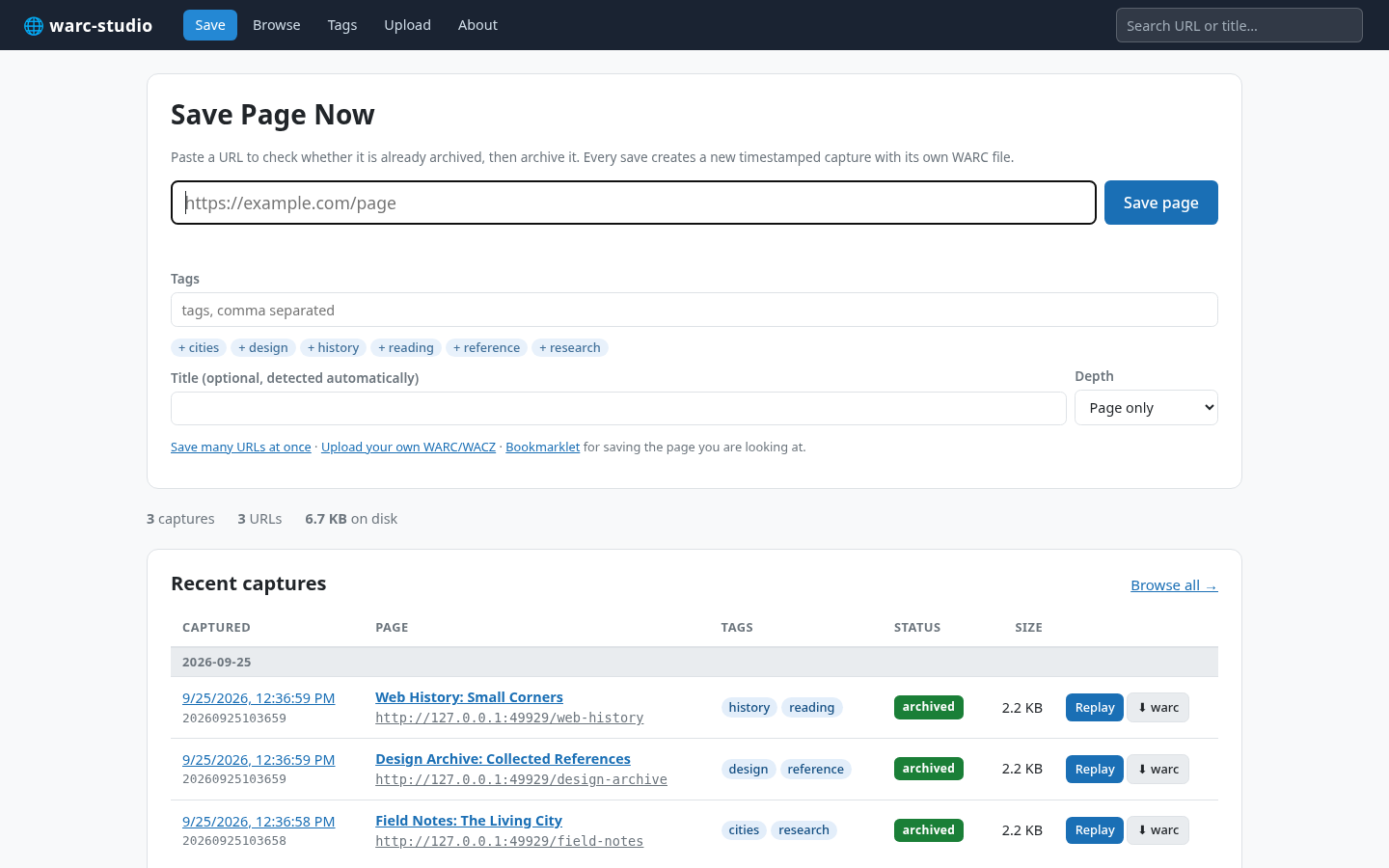
Browse what you saved.
Search captures by URL or title, filter by tags and status, and switch between newest and oldest first. Every capture has its own timestamp.
- Chronological browsing
- Tags and status filters
- URL capture history
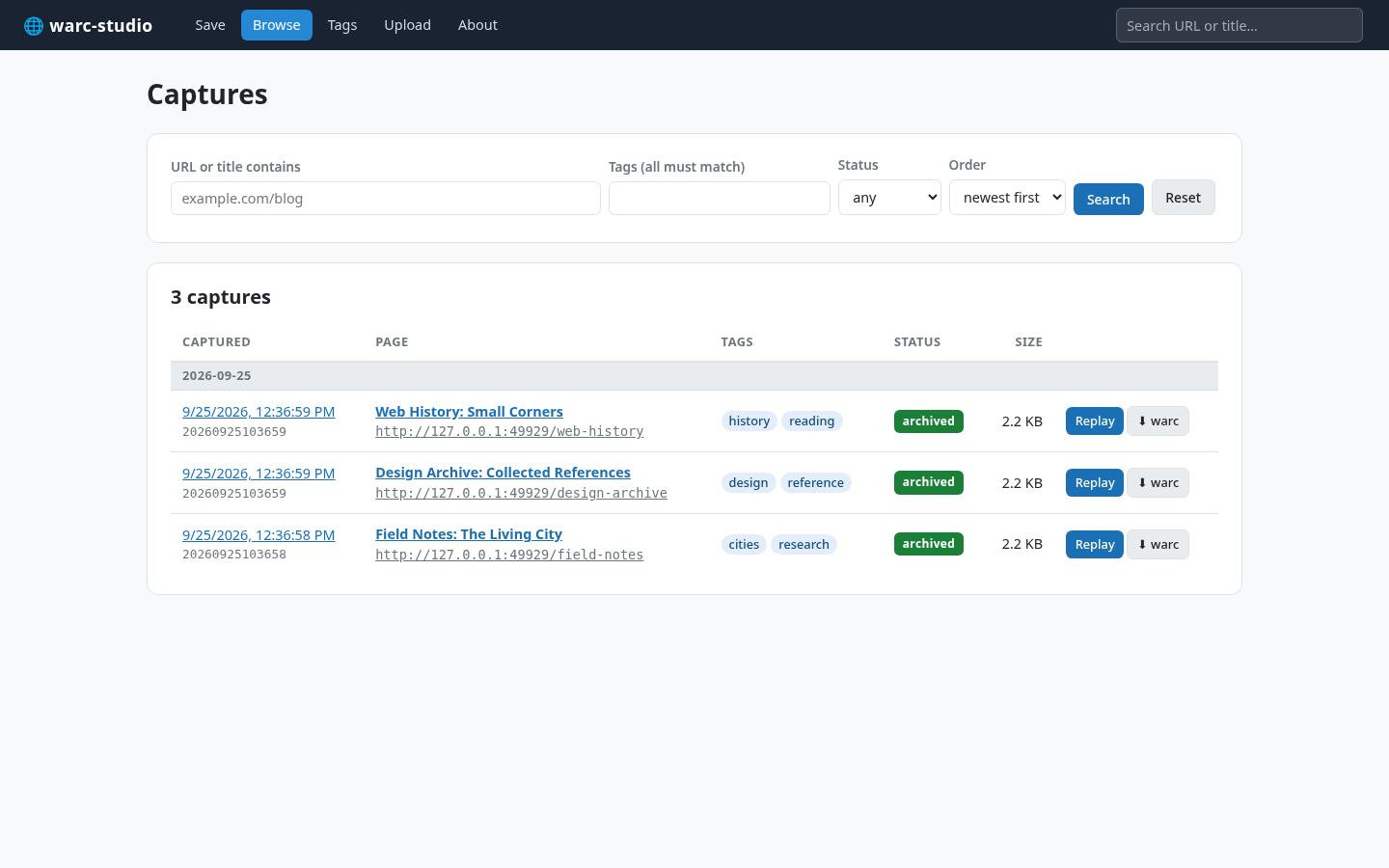
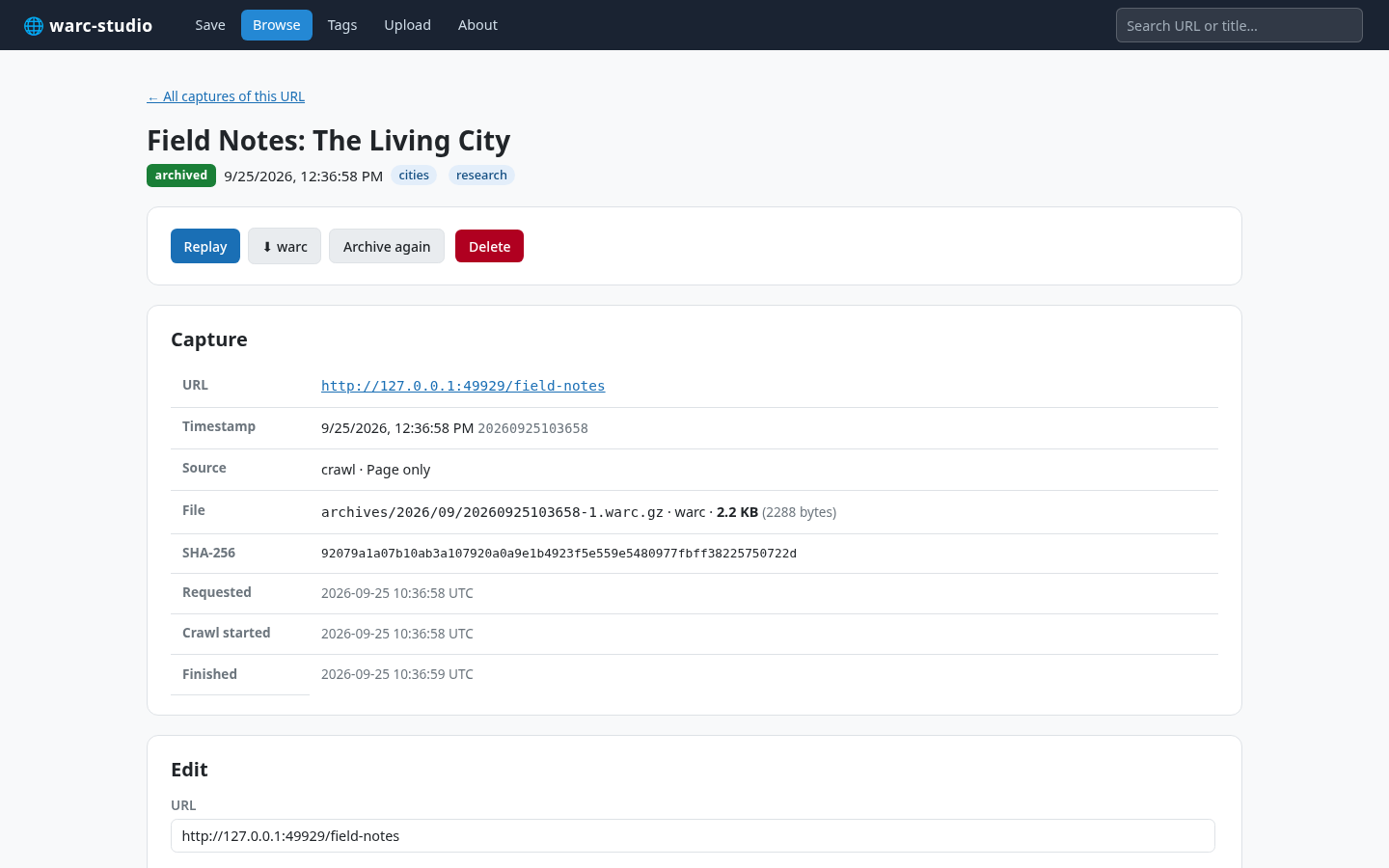
THE ACTUAL APP / 02
From an individual page to a growing personal archive, everything stays searchable and close at hand.
Search captures by URL or title, filter by tags and status, and switch between newest and oldest first. Every capture has its own timestamp.

Open a capture to see its timestamp, tags, file details, and SHA-256 checksum. Replay the saved page, download its WARC file, or archive it again.

YOUR ARCHIVE / 03
A straightforward workflow for collecting and keeping pages, with no external crawler to configure.
Save just one page or follow links by depth, domain, or path. Set a page limit when you need one.
Add titles and tags, save many URLs in one batch, or use the bookmarklet while browsing.
Upload existing .warc, .warc.gz, and .wacz archives.
Back up and restore your database, archive files, crawl logs, and unfinished captures.
The crawler does not execute JavaScript. Pages that fetch content dynamically may be incomplete in the archive.
GET STARTED / 04
Build WARC Studio from source, run it on your computer, and open the local app in your browser.
View source on GitHub# From the project directory
cmake -B build -DCMAKE_BUILD_TYPE=Release
cmake --build build
cd build
./warc-studio